The previous theme was called “Twenty Fifteen”, but we are now in May 2016, so I thought it was time to change to a new theme, called “Twenty Sixteen”.
What do you think of it? I must admit I found it very different at first sight, but now I’ve had a chance to look more closely at it, I think it works rather well.
The following SAS keywords are recognized even if you don’t spell them correctly:
DATA = dat, dta, daa, ddata, date*
RUN = ru, rn, rnu, urn, ruin, runt*
PROC = pro, prc, poc, porc, pric
QUIT = qut, qui, quti, qit, quite, quiet
SET = sett, sent*
FILE = fil, fill*
OUTPUT = outputsomething, outputnothing*
IF = fi*
THEN = the*
DO = doo*
PUT = putit, putting*
INPUT = imput
END = endit*
This behaviour can be controlled using OPTIONS AUTOCORRECT from SAS 9.3 onwards. To maintain this behaviour use OPTIONS AUTOCORRECT to show warnings in the log, but allow the program to continue, which is the default. OPTIONS NOAUTOCORRECT will show an error in the log at the first incorrect spelling, and then stop the program.
I know it should be “what happens in Vegas stays in Vegas”, but I really believe you need to hear this!
SAS Studio 3.5 is out, but, as it is part of SAS 9.4M3, you will have to request a new download of SAS 9.4M3 to get it, although it will be part of the latest version of SAS University Edition.
SAS Viya has been announced and it is a cloud version of SAS, but:
I have no idea what impact it will have on SAS users
How much it will cost
Whether it will benefit small users of SAS more than big users
What SAS procedures it will use, and whether new procedures will be needed
When I find out more, then I’ll let you know!
ODS Graphics continues to expand the number of graphs it can create.
The SAS Communities stand had amazingly good swag! They were giving away power banks, coffee mugs and unique shoulder bags made from SAS’ own roll shades and conference material to active members of the SAS Support Communities.
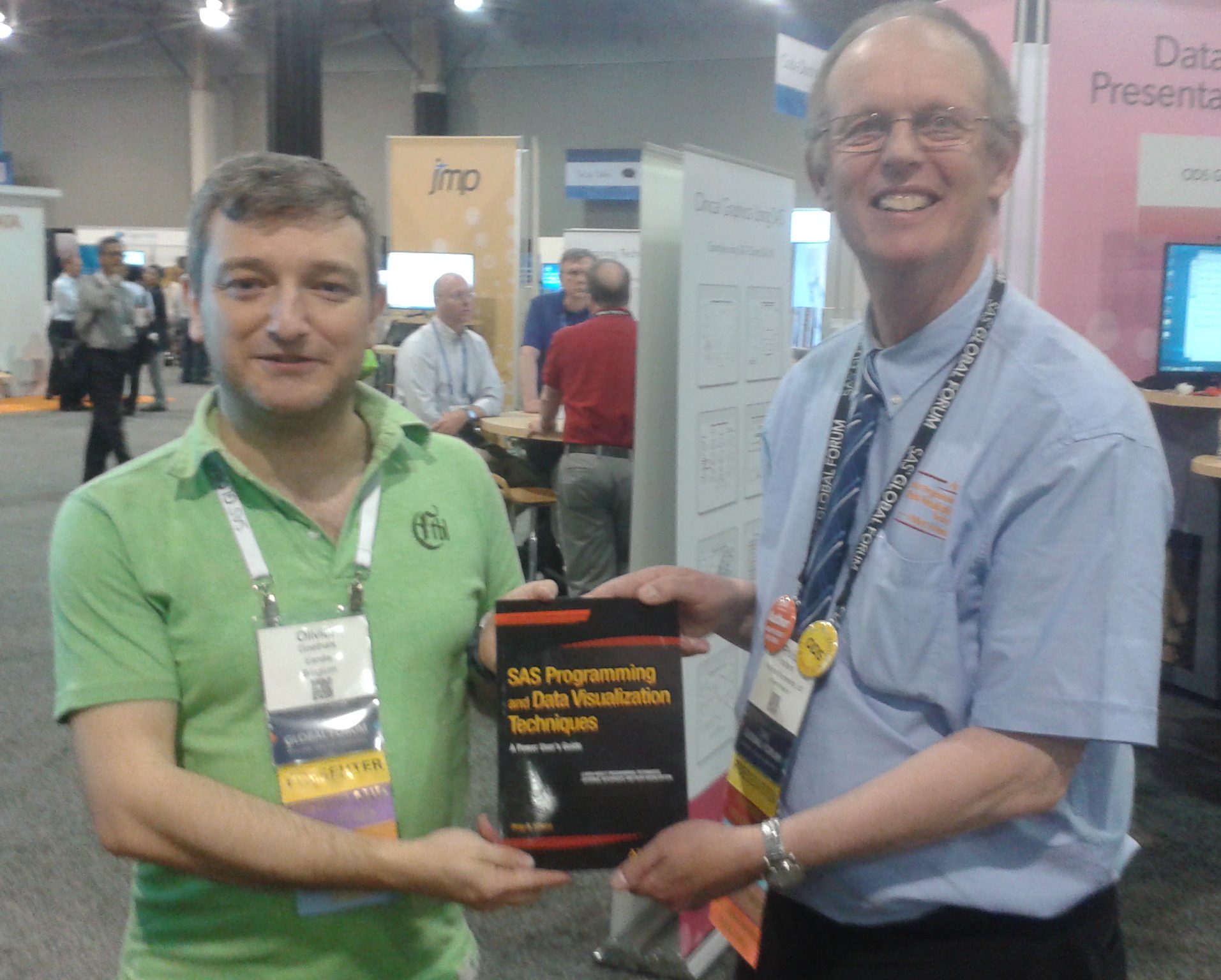
On a personal note I ran a prize draw for my latest book on the Data Presentation/ODS Graphics stand. 36(!) attendees left their business cards and the draw was won by Olivier Goethals from Belgium.
My thanks go to everyone who tried to win a copy of my book! I’m sorry that I didn’t bring more copies with me from the UK, but I will be running prize draws again at conferences in the future.
I also met lots of old friends, and made lots of new friends, at the SAS event of the year!
The SAS course is made up of sections containing SAS-related topics, with new topics posted over time.
The SAS course now has 2 sections and 4 topics available in the SAS Programming Forum. Note that the course topics are not available to registered members with Free membership, so to upgrade your membership please click here:
Over the last few weeks I’ve noticed potential customers for my SAS conference papers NEARLY download them from here, and then give up at the last moment. I want to assure you all that:
You will be required to register on this site for free, if you are not already a registered member
You will have to complete a form to say where you live
You will also be sent to a Checkout page
However, you will be charged nothing, as every conference paper download has a price of £0.00!
To quote “The Hitchhiker’s Guide” by Douglas Adams: DON’T PANIC. This is written in large friendly letters!
“Platforms: How Do You Do This in SAS?” looks at SAS platform-dependencies on Windows, UNIX, Linux and z/OS. This paid-for app has had some of the answer text updated to include SAS 9.4 and Windows 10.
Yes, I lost this Blog too, and all because of a misbehaving WordPress plugin! You’ll be pleased to hear that my site is now back and fully functional again.
I’ve just uploaded all of my SAS-related conference papers to my blog store, and will eventually be removing them from http://www.hollandnumerics.com/SASPAPER.HTM. This will mean that only those registered for the blog will be able to access and download them. They will, of course, be free to download for registered members.
I’ve seen self-paced SAS courses for around $125 / R.7,000. My new course will be priced at £5 (about $7 / R.475) per month and details can be found here, and you’ll be able to ask me any questions you need answers to at the same time, so it will be cheaper to become a member for 12 months than register for just one self-paced course!
Course topics during the year will include:
Data Steps
PROC SQL
Macros
PROC REPORT
PROC TABULATE
Reading databases
Reading text files
ODS destinations
ODS GRAPHICS
Performance considerations
Platform differences
The first two topics from the course looking generally at SAS components have been published today:
I hadn’t noticed, but I had to update the Google Licensing part of my apps to comply with new rules for Android 5 (Lollipop), which is why ALL of my apps installed from Google Play are no longer working on Android 5+!
Please don’t panic, as I’ve uploaded new versions of the following apps to Google Play that should work now:
Data Steps: Do This in SAS?
SQL: Do This in SAS?
Graphs: Do This in SAS?
Platforms: Do This in SAS?
EG: Do This in SAS?
Macros: Do This in SAS?
Efficiency: Do This in SAS?
Studio: Do This in SAS?
I’m glad I installed CyanogenMod 12 on my old HP TouchPad recently, so I can now be certain the Android 5 users can use my apps!
I would certainly recommend installing my Graphs app sooner, rather than later, as the next time I add a new question the price will have to be increased. It can be installed now from Google Play, Amazon Appstore and Chrome Web Store, depending on your preferred platform.
“Graphs: How Do You Do This in SAS?” looks at generating graphs using classic SAS/GRAPH and the new ODS Graphics. I’ve added a question that looks at how an information box (graph inset) can be added to line graphs in ODS Graphics, as compared to using Annotate in SAS/GRAPH.
The latest versions of all the apps can be found here.
“EG: How Do You Do This in SAS?” looks at writing and running SAS programs using Enterprise Guide. This paid-for app has had some of the answer text updated, including a link to this blog.
“Macros: How Do You Do This in SAS?” looks at SAS macros. This paid-for app has had some of the answer text updated, including a link to this blog.
“Platforms: How Do You Do This in SAS?” looks at SAS platform-dependencies on Windows, UNIX, Linux and z/OS. This paid-for app has had some of the answer text updated, including a link to this blog.
“Graphs: How Do You Do This in SAS?” looks at generating graphs using classic SAS/GRAPH and the new ODS Graphics. This paid-for app now includes information about how to annotate stacked bar charts in ODS Graphics.
The latest versions of all the apps can be found here.