Altair SLC 2026 series: Summary post #4

Loading

For the background to this series of summary posts see Altair SLC 2026 series: Introduction to posts.

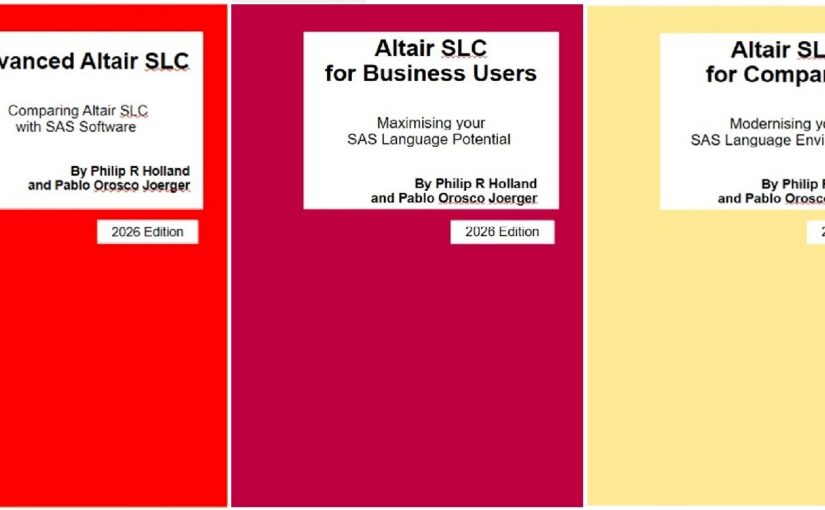
Book links:

Book A: Advanced Altair SLC

Comparing Altair SLC with SAS Software

A-04  Three editors, one language

Three editors, one language.

The Altair SLC extension turns Visual Studio Code into a full editing and execution environment for SAS-language programs.

Book A installs and configures it, then compares it directly with SAS Studio and with the SAS extension for VSCode, so a team can decide which editor actually fits the way it works rather than the way it is marketed.

Advanced Altair SLC, chapter 7.

#AltairSLC #VSCode #SASStudio #StatisticalProgramming

Book B: Altair SLC for Business Users

Working with Altair SLC day to day

B-04  It is the code text that is sent, not the file

Open a program on your laptop, right-click, and run it on the Linux server.

It is the code text that is sent, not the file, and every ODS destination on the remote server is honoured, so the output lands where you expect it.

Altair SLC Link behaves much like Enterprise Guide or SAS Studio connecting to a remote server. Altair SLC Communicate offers a second route. Book B configures both, and then shows the automatic macro variables that tell you, from inside the program, where it is actually running.

Altair SLC for Business Users, chapter 6.

#AltairSLC #RemoteServers #SASProgramming #Linux

Book C: Altair SLC for Companies

The case, the cost and the migration

C-04  What a session actually costs

What does an Altair SLC session actually cost?

A personal computer consumes 10 units. A server operating system consumes 10 per logical CPU, with a minimum of 40. Analytics Workbench itself consumes none.

Units are consumed by device, not by process, so the first user to start a session on a shared server takes the units and everyone after that shares them. Close the session and the units come back.

Book C works the arithmetic through with real examples, and shows exactly what a batch job and a Workbench session report when there are no units left.

Altair SLC for Companies, sections 4.4 to 4.5.

#AltairSLC #Licensing #CapacityPlanning #ITOperations

Altair SLC 2026 series: Summary post #3

Loading

For the background to this series of summary posts see Altair SLC 2026 series: Introduction to posts.

Book links:

Book A: Advanced Altair SLC

Comparing Altair SLC with SAS Software

A-03 PROC R and PROC PYTHON, in the same program as your DATA step

PROC R. PROC PYTHON. In the same program as your DATA step.

Data goes in, results come back, and the SAS-language program stays in charge. PROC IML gives a second route to R for anyone who already works that way.

Book A states what each procedure requires, sets up the Python editor in Analytics Workbench, and then gives three complete worked programs, one for each route.

No bridge to configure, no separate environment to keep in step.

Advanced Altair SLC, chapter 6.

#AltairSLC #RStats #Python #SAS #DataScience

Book B: Altair SLC for Business Users

Working with Altair SLC day to day

B-03 In batch, sas becomes wps

Moving a scheduled job to Altair SLC? In batch, sas becomes wps. Most of the rest of the command line you already know.

Two things worth knowing before you start. Batch comes with a full licence, the Personal Edition does not include it. And on Windows the Altair SLC bin folder has to go into the Path environment variable before the command line becomes usable.

Book B gives both the Windows and the Linux configuration, and the practical considerations that apply once jobs run unattended.

Altair SLC for Business Users, chapter 5.

#AltairSLC #BatchProcessing #Automation #SAS

Book C: Altair SLC for Companies

The case, the cost and the migration

C-03  The free edition, and the trap on the way back

The Personal Edition of Altair SLC is free, and it includes all the programming features. That makes it the cheapest way to evaluate anything.

But the two installation cases behave very differently. A first-time installation on a machine that has never held Altair SLC or WPS is straightforward. Switching back to the Personal Edition on a machine that has run under a managed, on-premises or wpskey licence is considerably harder than the short published procedure suggests.

Book C documents both, including how to test that the switch worked and what to do when it did not.

Altair SLC for Companies, sections 4.1 to 4.3.

#AltairSLC #Licensing #ITOperations

Newly updated apps about Efficiency and SAS Studio

Loading

Because of the heavy traffic in London the locals complain that “you wait ages for a bus, then 2 arrive at the same time!”. I hope you don’t complain in the same way when I write two blogs posts within days of each other, but I find that this often happens when I get a little spare time to work on my apps.

Unlike in my previous post, these two apps are not in any way related to each other, apart from being named 12 and 13 in my list. Both apps can be installed from Google Play, Amazon Appstore and Chrome Web Store, depending on your preferred platform.

“Efficiency: How Do You Do This in SAS?” looks at how to improve SAS efficiency, whether efficiency means speed of execution, ease of maintenance, or both. This paid-for app has had some of the answer text updated.

“Studio: How Do You Do This in SAS?” looks at the installation, configuration and uses of SAS Studio and SAS University Edition. This paid-for app now includes links about the licensing limits for using SAS University Edition, along with a summary of those restrictions.

The latest versions of all the apps can be found here.

Please select your product