Altair SLC 2026 series: Summary post #4

Loading

For the background to this series of summary posts see Altair SLC 2026 series: Introduction to posts.

Book links:

Book A: Advanced Altair SLC

Comparing Altair SLC with SAS Software

A-04  Three editors, one language

Three editors, one language.

The Altair SLC extension turns Visual Studio Code into a full editing and execution environment for SAS-language programs.

Book A installs and configures it, then compares it directly with SAS Studio and with the SAS extension for VSCode, so a team can decide which editor actually fits the way it works rather than the way it is marketed.

Advanced Altair SLC, chapter 7.

#AltairSLC #VSCode #SASStudio #StatisticalProgramming

Book B: Altair SLC for Business Users

Working with Altair SLC day to day

B-04  It is the code text that is sent, not the file

Open a program on your laptop, right-click, and run it on the Linux server.

It is the code text that is sent, not the file, and every ODS destination on the remote server is honoured, so the output lands where you expect it.

Altair SLC Link behaves much like Enterprise Guide or SAS Studio connecting to a remote server. Altair SLC Communicate offers a second route. Book B configures both, and then shows the automatic macro variables that tell you, from inside the program, where it is actually running.

Altair SLC for Business Users, chapter 6.

#AltairSLC #RemoteServers #SASProgramming #Linux

Book C: Altair SLC for Companies

The case, the cost and the migration

C-04  What a session actually costs

What does an Altair SLC session actually cost?

A personal computer consumes 10 units. A server operating system consumes 10 per logical CPU, with a minimum of 40. Analytics Workbench itself consumes none.

Units are consumed by device, not by process, so the first user to start a session on a shared server takes the units and everyone after that shares them. Close the session and the units come back.

Book C works the arithmetic through with real examples, and shows exactly what a batch job and a Workbench session report when there are no units left.

Altair SLC for Companies, sections 4.4 to 4.5.

#AltairSLC #Licensing #CapacityPlanning #ITOperations
Altair SLC 2026 series: Summary post #3

Loading

For the background to this series of summary posts see Altair SLC 2026 series: Introduction to posts.

Book links:

Book A: Advanced Altair SLC

Comparing Altair SLC with SAS Software

A-03 PROC R and PROC PYTHON, in the same program as your DATA step

PROC R. PROC PYTHON. In the same program as your DATA step.

Data goes in, results come back, and the SAS-language program stays in charge. PROC IML gives a second route to R for anyone who already works that way.

Book A states what each procedure requires, sets up the Python editor in Analytics Workbench, and then gives three complete worked programs, one for each route.

No bridge to configure, no separate environment to keep in step.

Advanced Altair SLC, chapter 6.

#AltairSLC #RStats #Python #SAS #DataScience

Book B: Altair SLC for Business Users

Working with Altair SLC day to day

B-03 In batch, sas becomes wps

Moving a scheduled job to Altair SLC? In batch, sas becomes wps. Most of the rest of the command line you already know.

Two things worth knowing before you start. Batch comes with a full licence, the Personal Edition does not include it. And on Windows the Altair SLC bin folder has to go into the Path environment variable before the command line becomes usable.

Book B gives both the Windows and the Linux configuration, and the practical considerations that apply once jobs run unattended.

Altair SLC for Business Users, chapter 5.

#AltairSLC #BatchProcessing #Automation #SAS

Book C: Altair SLC for Companies

The case, the cost and the migration

C-03  The free edition, and the trap on the way back

The Personal Edition of Altair SLC is free, and it includes all the programming features. That makes it the cheapest way to evaluate anything.

But the two installation cases behave very differently. A first-time installation on a machine that has never held Altair SLC or WPS is straightforward. Switching back to the Personal Edition on a machine that has run under a managed, on-premises or wpskey licence is considerably harder than the short published procedure suggests.

Book C documents both, including how to test that the switch worked and what to do when it did not.

Altair SLC for Companies, sections 4.1 to 4.3.

#AltairSLC #Licensing #ITOperations

Altair SLC 2026 series: Summary post #2

Loading

For the background to this series of summary posts see Altair SLC 2026 series: Introduction to posts.

Book links:

Book A: Advanced Altair SLC

Comparing Altair SLC with SAS Software

A-02  There is no session, there is a workspace

The first thing that surprises a SAS programmer opening Altair Analytics Workbench: there is no session. There is a workspace.

That one difference changes how you set the current working folder, how file types are associated, and how a server is assigned before anything will run.

Book A shows the 2024 and 2025 releases side by side, how to identify the installed version on Windows 11 and on Linux, and compares Workbench feature by feature with SAS Enterprise Guide.

If you are moving a team across, this is the chapter to read first.

Advanced Altair SLC, chapter 3.

#AltairSLC #SASProgramming #EnterpriseGuide #DataAnalytics

Book B: Altair SLC for Business Users

Working with Altair SLC day to day

B-02  Where your defaults come from

Two sessions, same program, different results. Almost always the defaults.

Altair SLC has two kinds: those built into the product, and those set in the configuration file. Until you know which is which, a session is not reproducible on anybody else’s machine.

Book B gives the initialisation procedure for Altair SLC 2026 step by step, for Windows and then for Linux, and separates the two kinds of default option properly.

Altair SLC for Business Users, section 2.3.

#AltairSLC #Reproducibility #SASProgramming #Linux

Book C: Altair SLC for Companies

The case, the cost and the migration

C-02  Four products, two tables

Altair SLC. Foundation SAS 9.4. SAS Viya. SAS Viya Workbench.

Book C compares all four in two tables. The first summarises the pricing model of each product from publicly available information. The second compares capability and scope across primary positioning, deployment model, execution engine and language support.

It is deliberately short, because it is written to be put in front of people who will not read the rest of the book.

Altair SLC for Companies, section 3.3.

#AltairSLC #SASViya #DataAnalytics #ITStrategy

Altair SLC 2026 series: Summary post #1

Loading

For the background to this series of summary posts see Altair SLC 2026 series: Introduction to posts.

Book links:

Book A: Advanced Altair SLC

Comparing Altair SLC with SAS Software

A-01  Run it once, publish it five ways

Run the analysis once. Publish it five ways.

ODS DOCUMENT captures the output of a procedure. PROC DOCUMENT replays it later to a different destination, in a different style, without running the analysis again.

It is one of the most useful things in the Output Delivery System, and one of the least used. Altair SLC supports it, and Book A works through a complete example.

The same chapter sets out where the ODS implementation in Altair SLC matches SAS software, and where it does not.

Advanced Altair SLC, chapter 2.

#AltairSLC #SAS #ODS #StatisticalProgramming

Book B: Altair SLC for Business Users

Working with Altair SLC day to day

B-01  Altair SLC is a runtime, not an interface

Altair SLC is a runtime, not an interface.

That distinction matters, because there are several ways to reach it: Analytics Workbench, the command line, Visual Studio Code, a remote server, or another application driving it.

Book B lays the routes out plainly, so that a new user knows which one they are actually using, and why the same program can behave differently depending on how it was started.

Altair SLC for Business Users, sections 2.1 to 2.2.

#AltairSLC #SASProgramming #DataAnalytics

Book C: Altair SLC for Companies

The case, the cost and the migration

C-01  Why organisations are making the move

Why are organisations moving to Altair SLC?

Four reasons, and Book C gives the detail behind each. Cost, from a subscription model with a lower upfront commitment. Flexibility, from multi-language support for Python, R and SQL and an open architecture that fits an existing pipeline. A modern approach, with current machine learning and automation. And a comprehensive feature set under a single licence, rather than assembled from separately priced modules.

Written for the people who have to sign it off, not for the people who will use it.

Altair SLC for Companies, sections 3.1 to 3.2.

#AltairSLC #DataAnalytics #ITStrategy #Procurement

Altair SLC 2026 series: Introduction to posts

Loading

Twenty-four ready-to-post items promoting the three Altair SLC books, eight for each. No topic appears twice. Where a subject is covered by more than one book it has been assigned to the book that treats it most fully, so the three sets could be scheduled in any order without repeating any information.

The three books at a glance

BookPagesAudience to aim the posts at
Book A – Advanced Altair SLC: Comparing Altair SLC with SAS Software210Experienced SAS programmers. Technical detail earns the engagement here; lead with the specific.
Book B – Altair SLC for Business Users207Programmers and analysts doing the daily work. Practical, problem-and-answer posts.
Book C – Altair SLC for Companies142Managers, architects and procurement. Cost, risk and migration; keep these the shortest.

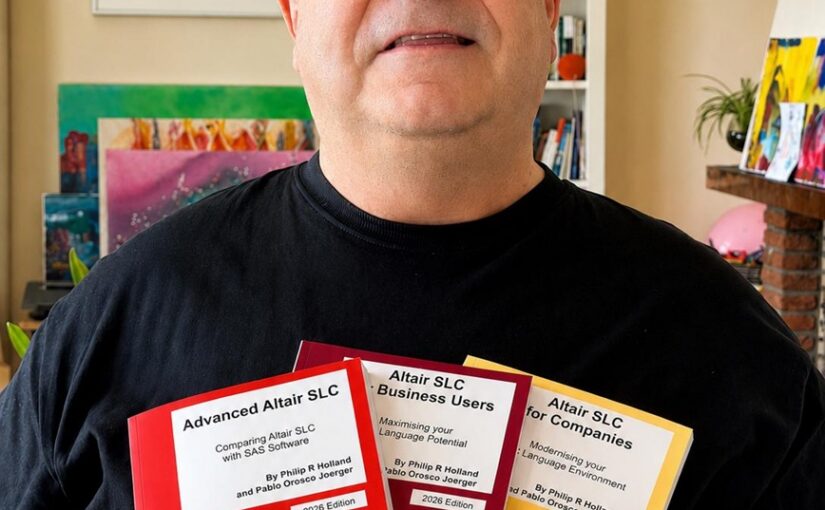
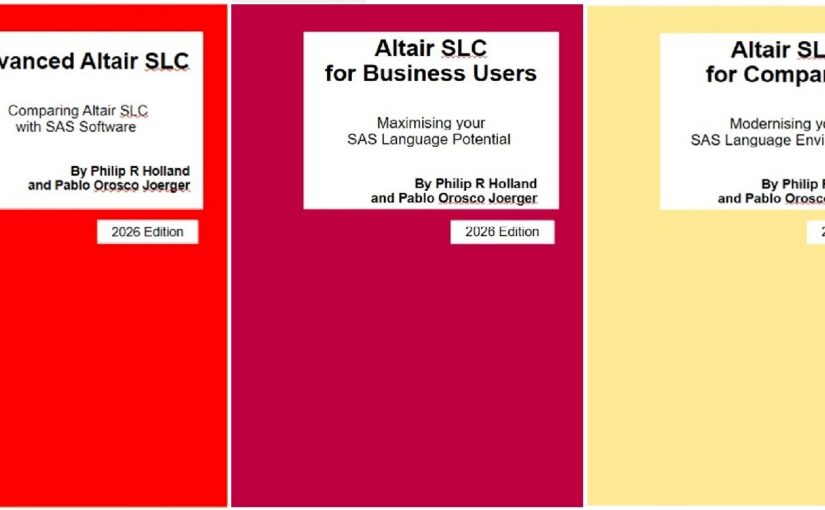
All three are by Philip R Holland and Pablo Orosco Joerger, 2026 edition, first printing, July 2026:

Each post will include the purchasing links above, but also a link back to this post to explain the target audiences.

Altair SLC 2026: ebook bundles are now available at discounted prices

Loading

Each of the 3 Altair SLC ebooks in the 2026 series are aimed at different target audiences, but there are groups of readers that may prefer to buy discounted bundles than rely on a single book to answer their questions about Altair SLC.

Note that, during Siemens’ rebranding period, the SLC software still uses the name Altair SLC internally, but is labelled RapidMiner SLC in the MarketPlace. However, as software users, we will still use Altair SLC as the software’s name.

The three books at a glance

BookPagesAudience to aim the posts at
Book A – Advanced Altair SLC: Comparing Altair SLC with SAS Software210Experienced SAS programmers. Technical detail earns the engagement here; lead with the specific.
Book B – Altair SLC for Business Users207Programmers and analysts doing the daily work. Practical, problem-and-answer posts.
Book C – Altair SLC for Companies142Managers, architects and procurement. Cost, risk and migration; keep these the shortest.

All three are by Philip R Holland and Pablo Orosco Joerger, 2026 edition, first printing, July 2026.

There are now 3 bundles available:

Stop Press: Look out for the Altair SLC 2026 series summary posts – 24 posts (8 for each book) on LinkedIn and on this blog to explain what is in the 3 books.

VIEWS News 82 (2026Q2/3) has been published!

Loading

VIEWS News issue 82 has now been published.

This newsletter is the home of Foundation SAS and brings you information about making the most of SAS 9 and Altair SLC. This newsletter issue includes an article from LeRoy Bessler about Donut Charts, Anders Sköllermo discusses quantiles for very large data sets, and there will be a launch of 3 Altair SLC books in Hamburg on 20Aug2026 and you are welcome to join the authors at lunchtime. As usual I have publicised some SAS‑related events for the next few months, and I have also added some more SAS formats, options and functions that you may or may not have come across before, but you might find interesting, and even useful.

If you would like to contribute an article, to re-visit and improve an existing article, or just discuss the possibility of doing so, please feel free to send an email to me at view-uk@hollandnumerics.org.uk or phil@hollandnumerics.org.uk. Publication deadlines are the 14th day of February, May, August and November each year.

To be able to read this and all previous issues you will need to follow these steps:

  1. If you have not already registered on this blog site, go to blog.hollandnumerics.org.uk and register for free membership.
  2. Once successfully registered, click the menu item [Subscriptions for Forums and Features] > [Request access to the VIEWS UK forum] to request free access to the VIEWS UK forum, then add your name and email address to the form before clicking [Send].
  3. On receipt of a request for an existing blog member I will register them for free access to the VIEWS UK forum, and then send them an email to confirm this.
  4. The next time they log onto the blog site they will see VIEWS UK in the forum list, where you will find the latest issue of VIEWS News, forum topics to find the backissues, functions and formats in every published issue, and a tag cloud covering every forum on the site to which you have access, including VIEWS UK and the VIEWS News issues.
  5. They will also be automatically informed of any VIEWS UK updates.

Enjoy!……………..Phil

Pablo and I will be enjoying a “book launch” lunch in Hamburg on 20Aug2026. You are very welcome to join us!

Loading

Philip R Holland and Pablo Orosco Joerger will be at The Locks, Marienhof 6, 23399 Hamburg, a bar and restaurant in northern Hamburg, Germany, between 1200 and 1600 on 20Aug2026 to talk to interested readers about their 3 new books:

  • Advanced Altair SLC
  • Altair SLC for Business Users
  • Altair SLC for Companies
VolumePrimary audienceCore value proposition
Advanced Altair SLCExperienced SAS/SLC programmersTechnical depth: PROC R/PROC IML/PROC PYTHON with full programs, ODS gaps, clinical CDISC programming, non‑standard file reading/writing, systematic SLC vs SAS 9.4 differences
Altair SLC for Business UsersSAS programmers and analysts adopting SLC as their primary toolBroadest practical coverage: batch processing, server access, database access, R/Python, SASjs integration, clinical programming – all with working code
Altair SLC for CompaniesIT managers, architects, decision-makers evaluating migrationBusiness case: cost and capability comparison with SAS 9.4 and Viya, migration planning checklist, database engine coverage, server architecture

All 3 books are available on hollandnumerics.org.uk and Lulu.com as ebooks and paperbacks, if you are unable to join us:

Discounted ebooks will be available to purchase at the venue, either via email or on USB drives.

Discounted paperbacks can also be requested from the authors.

Planning for a new SLC book is on-going, but which graphs should it include?

Loading

To map our graph list onto CDISC ADaM structures for the dummy-data examples, here’s what is proposed for each:

  1. Kaplan-Meier survival curves — ADTTE
  2. Forest plots (subgroup / hazard ratio summaries) — ADTTE + ADSL
  3. Waterfall plots (best % change from baseline) — ADTR / ADRS
  4. Spider / spaghetti plots (individual subject profiles) — ADLB / ADVS / ADTR / ADQS
  5. Swimmer plots (treatment duration and response) — ADSL + ADEX + ADRS
  6. Bar charts (AE incidence, demographics, treatment summaries) — ADAE + ADSL
  7. Linear/line plots by treatment (mean response over time) — ADEFF / ADLB / ADVS / ADQS
  8. Mean ± SE/SD over time (labs, vital signs, efficacy, PRO scores) — ADLB / ADVS / ADEFF / ADQS
  9. Box plots and shift plots (labs by visit/treatment) — ADLB
  10. Adverse event incidence and patient-profile timeline plots — ADAE (with ADCM/ADEX for full profiles)
  11. PK concentration-time profiles — ADPC (and ADPP for derived PK parameters)
  12. Linear/Semi-log plots over time (labs, vital signs) — ADLB / ADVS

Can you suggest any other graphs, or graphs in this list that you don’t need?

Pablo Orosco Joerger and I are planning to use the Pharmaverse ADaM data sets for all of these plots.

Please share views in your comments.

3 new Altair SLC paperbacks are now available on Lulu.com.

Loading

3 new Altair SLC paperbacks have now been published on Lulu.com:

But how do you find them? There are now 3 different links to help you find the paperback books and PDF ebooks you are looking for:

  • Book Table: where you can find the books and ebooks on Lulu.com, but also the discounted ebooks on this blog site. If you have any problems buying ebooks from the blog site, then please email support@hollandnumerics.org.uk, and we will try to fix the issue as quickly as possible.
  • Lulu.com Search: where you can find the books and ebooks on Lulu.com about Altair SLC.
  • Lulu.com Spotlight: where you can find the books and ebooks on Lulu.com by Philip R Holland.

Thank you for supporting independent publishers and authors!

STOP PRESS: Altair SLC 2026 series ebooks published on Lulu.com today!

Loading

3 new Altair SLC ebooks in the Altair SLC 2026 series were published on Lulu.com today, and you can order them via the Book Table:

  • Advanced Altair SLC
    • Experienced SAS/SLC programmers
      • Technical depth: PROC R/PROC IML/PROC PYTHON with full programs, ODS gaps, clinical CDISC programming, non-standard file reading/writing, systematic SLC vs SAS 9.4 differences
  • Altair SLC for Business Users
    • SAS programmers and analysts adopting SLC as their primary tool
      • Broadest practical coverage: batch processing, server access, database access, R/Python, SASjs integration, clinical programming – all with working code
  • Altair SLC for Companies
    • IT managers, architects, decision-makers evaluating migration
      • Business case: cost and capability comparison with SAS 9.4 and Viya, migration planning checklist, database engine coverage, server architecture

For more details about the contents of each book, please download the PDF comparison guide Altair_SLC_2026_Three_Book_Comparison.

Apologies to all my loyal blog members, and thank you for your patience over the last few weeks…

Loading

Those of you who have tried to access my blog site during May and June experienced a very slow response, or, occasionally, no response at all, throughout the day. I have been investigating potential solutions, including using FPM (FastCGI Process Manager) to speed up the PHP programs. I was close to implementing this solution, but had actually made no changes, when the response times suddenly improved dramatically earlier this week. The performance improvements have been very welcome, but I have no explanation for them yet.

I do still intend to implement FPM, but there is less urgency now.

So, while the blog site is user-friendly again, don’t miss out on the pre-publication discounts on the new Altair SLC ebooks at The Book Table. More details can be found at Download pre-publication copies of my new books at discounted prices.

PS. You may have read that Altair SLC has been rebranded by Siemens as Rapidminer SLC, but this name has yet to appear in the software itself or its documentation, so the book titles will remain the same for now!

Please select your product